


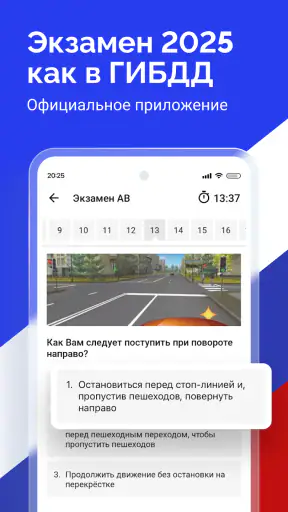
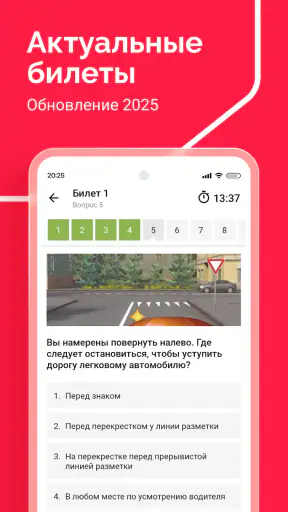
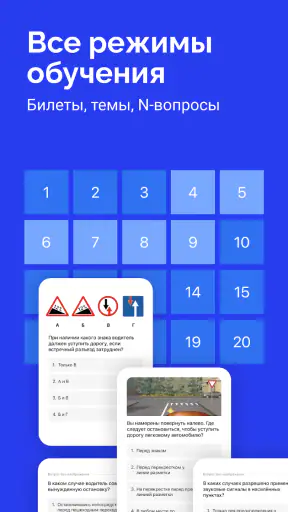
Preparing for a driving theory exam is not especially exciting, but it becomes much less stressful when practice is easy to fit into ordinary moments. I spent time with Билеты ПДД 2026 и Экзамен ПДД as a study tool rather than treating it like a quick quiz game, and my overall impression is that it is most useful for people who want repeated practice with Russian traffic-rule tickets in a focused format.
This is a free Auto & Vehicles app from Дром, aimed at learners working with State Traffic Inspectorate theory material. Its store summary points to the 2026 tickets, the 2025 exam material with amendments, and categories ABM and CD. That makes its purpose very clear: it is designed to help you rehearse the question style and subject areas you are likely to encounter while preparing for the theory stage.
The app has an average rating of 5.0 from around 1.2 million ratings and more than 10 million installs. Those figures suggest that it has found a large audience, although popularity alone does not guarantee that its study method will suit everyone. I would judge it mainly by how well it supports deliberate revision, how clearly it handles mistakes, and whether its practical controls make it easy to study without giving away more personal information than necessary.
How the app earns trust before you start studying
The first reassuring point is that the app has a narrow, understandable job. It is not presented as a social network, a driving service, or a general-purpose account platform. I open it expecting traffic-rule questions, not a collection of unrelated features. That limited purpose matters because it makes the app easier to evaluate: I can concentrate on the study experience and on what choices are visible when I use it.
The developer is listed as Дром, and the app is free to install. It is marked suitable for Everyone, which is appropriate for a theory-preparation tool, though younger users should still remember that traffic rules are serious material rather than casual entertainment. The release date is listed as March 21, 2017, while the current version is 3.45.0 and the minimum operating system is Android 8.0. In practical terms, that means people with an older Android phone should check compatibility before planning their revision around it.
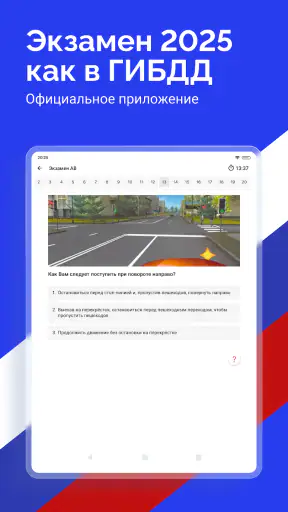
I also appreciate that the title and summary make the intended update cycle visible. The app refers to 2026 tickets and 2025 rules with amendments, so a learner can understand that this is not simply an old collection of generic road questions. At the same time, I would not treat a version label as a substitute for reading the actual explanations and checking the rules relevant to my own exam arrangements. A current-looking ticket set is useful, but careful learners should still pay attention to wording and amendments.
The most trustworthy way to use this app is as a structured practice companion, not as the only authority for every legal detail. I would use it to identify weak topics and build familiarity with exam-style questions, then compare any confusing rule with official learning material or an instructor’s explanation. That approach protects against a common study mistake: memorising an answer pattern without understanding why it is correct.
What the free model means for a learner
Because the app is free, it is easy to try without making a financial commitment. That is helpful for a new learner who is still deciding whether digital practice works better than a book. It also makes it practical to keep the app available for short revision sessions rather than buying a separate question bank immediately.
Free does not automatically mean frictionless, however. I would expect to pay attention to the screens shown during setup and use, especially if the app offers optional sign-in, notifications, or other choices. A careful user should distinguish between what is needed to answer tickets and what is merely convenient. If a permission or account request appears, I would read its purpose first and decline anything that does not seem relevant to studying.
The important point is not to assume either extreme. I would not claim that a free app collects nothing, and I would not assume that every request is intrusive. Instead, I would look for visible explanations and user controls at the moment a choice is presented. That habit is more reliable than judging privacy from the price or from the app’s category.
Using the tickets as a real study workflow
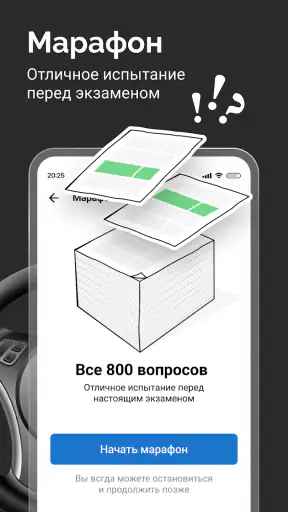
My preferred way to use the app is in three passes. First, I answer a set without rushing, even when I recognise the picture. Second, I separate mistakes caused by not knowing the rule from mistakes caused by misreading the wording. Third, I return to the difficult subjects later instead of repeating the same easy questions until the score feels comfortable.
This distinction is important because ticket apps can create a false sense of progress. A familiar question may feel easy simply because I remember its layout. To avoid that trap, I would sometimes answer with the phone held slightly farther away or after a short break, forcing myself to read every condition again. The goal is not to make practice artificially difficult; it is to ensure that recognition is not replacing understanding.
The ABM and CD categories also make the app more useful for learners with different vehicle plans. I would choose the category that matches my intended licence path and avoid mixing material casually when I am close to an exam. Mixing can broaden knowledge, but it can also make revision less focused. Someone preparing for one category should first build confidence in that category, then use the other material only if there is a clear reason.
A realistic everyday routine might look like this: I open the app during a commute as a passenger, complete a short practice session, and note the topics behind my wrong answers. Later that evening, I revisit those topics when I am not distracted. I would never use it while driving, of course, and I would avoid answering questions while walking through traffic or doing anything that requires attention elsewhere. The app is portable, but portability should not turn into unsafe multitasking.
Turning wrong answers into useful revision
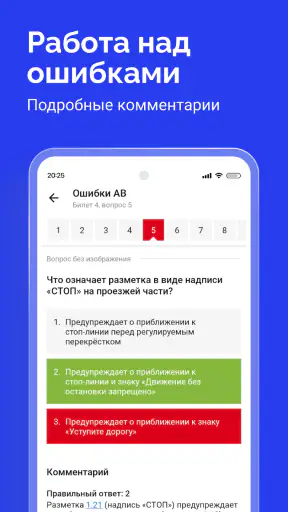
My strongest tip is to keep a small external list of recurring errors. The list does not need to copy every question. I would write short reminders such as “check the condition before choosing the sign” or “read the exception, not only the main rule.” This turns the app from a sequence of isolated tests into a personal revision map.
A second useful habit is to delay immediate retakes after a mistake. If I answer the same question again straight away, I may remember the position of the correct option rather than the rule itself. Waiting until later, or returning after several different tickets, gives a more honest test of recall.
A third trade-off concerns speed. Fast completion can be motivating, but speed is not the same as exam readiness. I would first aim for careful, consistent answers, then gradually reduce hesitation. If I am still guessing on signs, road markings, priority situations, or exceptions, I would slow down and study the explanation rather than chasing a perfect-looking result.
These habits are especially valuable because the app’s basic format can tempt users to focus on scores. A score tells me how I performed in one session; my error pattern tells me what to study next. That difference is where much of the app’s practical value lies.
Where visible controls and personal choice matter
When I install any study app, I pay attention to whether I can start learning without creating an account. If an account is optional, I prefer to postpone it until I understand what it adds. If sign-in is required for a particular function, I want that requirement explained clearly before I provide details. This is not specific to driving theory; it is a sensible way to keep control over personal information.
I also check notification settings early. Reminders can help me maintain a revision routine, but they can become irritating when they arrive at unsuitable times. I would keep only the alerts that support my plan and turn off the rest. A good study schedule should come from my needs, not from pressure to open the app repeatedly.
The same principle applies to device permissions. A ticket-practice app should be judged by whether each requested access has an understandable connection with an action I am trying to perform. I would read the system prompt instead of tapping through it automatically, and I would revisit permissions later if my use of the app changes. If a request feels unrelated to answering tickets, I would decline it and see whether the core study function still works.
There is also a practical account-control question: if I stop using the app, can I leave without unnecessary complications? I would look for clear settings and ordinary sign-out or account-management options if I had chosen to create an account. I would not assume that uninstalling an app answers every data question, so I prefer to review visible controls before storing any personal information or connecting another service.
Data-sensitive moments during ordinary use
Most of my interaction with a traffic-ticket app is low sensitivity: reading a question, selecting an answer, and reviewing a rule. The more sensitive moments usually happen around setup, sign-in, notifications, and any optional connection to another service. Those are the points where I slow down and make an intentional choice.
I would also avoid entering unnecessary personal details into any free-text field if one appears. A driving-theory tool does not need a diary of my travel, my exact daily route, or identifying notes about other people. Keeping study notes general reduces the consequences if I later share a screenshot or change devices.
Another small but useful precaution is to be careful with screenshots. A screenshot of a ticket may seem harmless, but it can include a profile name, notification preview, or other phone information around the app. Before sharing a difficult question with a friend or instructor, I would crop the image and remove anything unrelated. That is a simple user-controlled step that costs almost no time.
I would apply the same caution to network use. If I am studying in a public place, I do not need to log in or disclose anything beyond what is necessary just to answer questions. When an app works as a straightforward practice tool, I prefer the least complicated route: open it, study, review mistakes, and close it.
Who will benefit, and who should choose another approach
This app is a strong fit for a learner who wants a dedicated Russian traffic-rules ticket bank, prefers short sessions, and is comfortable taking responsibility for understanding mistakes. It is also useful for someone who already studies with a teacher or book and wants extra repetition on a phone. The free price makes it a low-risk addition to that routine.
It is less suitable for a person who needs long, carefully organised lessons before seeing test questions. A ticket format can show that an answer is wrong, but it may not replace a full explanation from an instructor when the underlying concept is confusing. If I repeatedly miss the same priority-rule question, I would stop drilling it blindly and seek a clearer lesson elsewhere.
I would also hesitate to rely on it alone if my exam preparation depends on accessibility features, a particular language, or a very specific regional learning format that the app does not visibly support for me. In that situation, a printed manual, classroom instruction, or another study tool may be better as the main resource. The right choice is the one that lets me understand the rule, not merely remember a button.
Compared with a paper ticket book, the app is more convenient for spontaneous practice and easier to keep with me. Paper can still be better for writing detailed notes, spreading several pages across a desk, and studying without phone distractions. Compared with a broad online course, the app is quicker to open but narrower in depth. I see it as the practice layer between explanation and examination, not a complete replacement for both.
Questions I would ask before installing
“Can I use it without paying?” Yes. It is listed as free, so I can test the workflow without buying access first. I would still inspect any optional account or notification choices rather than accepting every prompt automatically.
“Will it suit my licence category?” It covers ABM and CD material, so I would select the category that matches my preparation and keep my revision focused. If my needs fall outside those categories, I would look for a more suitable resource instead of assuming that every ticket is relevant.
“Is it current enough for an upcoming exam?” The app presents 2026 tickets and references 2025 rules with amendments, which is encouraging for current preparation. I would nevertheless read the wording carefully and use official or instructor guidance for anything that remains unclear, especially when a rule has exceptions.
“Do I need an account?” I would check the first-run screens and settings rather than guessing. If the app lets me practise without one, I would begin that way and only create an account if a clearly useful function justifies it. If a request appears, I would look for its explanation and decide case by case.
“Can it replace a teacher?” In my view, no. It can expose gaps, reinforce recall, and make repetition convenient, but a teacher or comprehensive manual is better when I do not understand the reasoning behind an answer. The best results come from combining ticket practice with explanation and deliberate review.
My cautious verdict after using it
I see Билеты ПДД 2026 и Экзамен ПДД as a practical, focused study app rather than a complete driving-school course. Its clear subject, free access, broad adoption, and coverage of ABM and CD tickets make it easy to recommend as a revision companion. I especially like the idea of using it in short sessions, then converting mistakes into a personal list of topics to study properly.
My recommendation comes with boundaries. I would not judge readiness from one excellent session, and I would not treat a remembered answer as proof that I understand the rule. I would also make privacy and account decisions deliberately: read prompts, limit optional permissions, control notifications, and avoid entering personal information that has nothing to do with learning.
For a learner who wants convenient repetition on Android 8.0 or later, this is a sensible place to begin. For someone who needs detailed instruction, specialised accessibility support, or a different language and format, another resource may be the better primary choice. Used thoughtfully, though, the app can turn scattered spare minutes into targeted preparation while leaving the final responsibility where it belongs: with the learner who must understand and apply the rules safely.


